
At present, to help maintain the security of the software, only pre-programmed Arduinos are being shipped. However, I would like to be able to email pre-compiled versions of the latest software. It is a little complicated to load the pre-compiled software.
Here is the method for loading the compiled software.
First, download and install the Arduino IDE software from: https://www.arduino.cc/en/main/software
Start the Arduino IDE, then select ‘Tools’. From the drop down menu select ‘Board: “Arduino/Genuino Uno” >’ then select ‘Boards Manager…’ and then Install ‘Arduino SAM Boards (32-bits ARM Cortex-M3) by Arduino’
Next, find the “bossac.exe” program. It will be in your system somewhere as it is part of the Arduino IDE (in Windows Explorer you may need to select ‘view’ then ‘options’ then ‘view’ again and in ‘advanced options’ select ‘show hidden files, folders, and drives’ to be able to see it). On my computer, it is located here:
C:\Users\Marcus\AppData\Local\Arduino15\packages\arduino\tools\bossac\1.6.1-arduino\bossac.exe
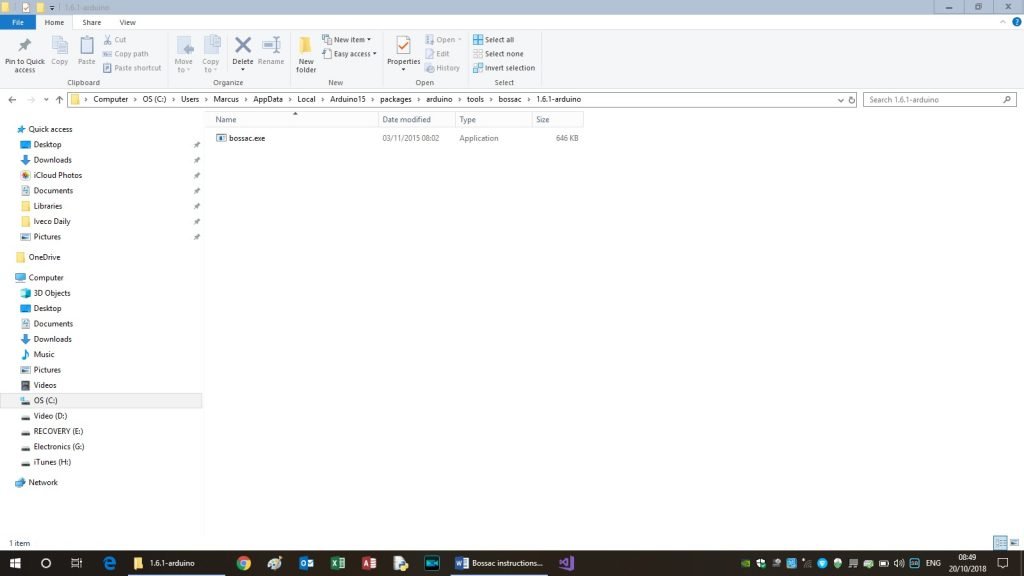
Once found, make a note of its location.
Now locate your ‘Command Prompt’ – I found mine here:
C:\Windows\system32\cmd.exe
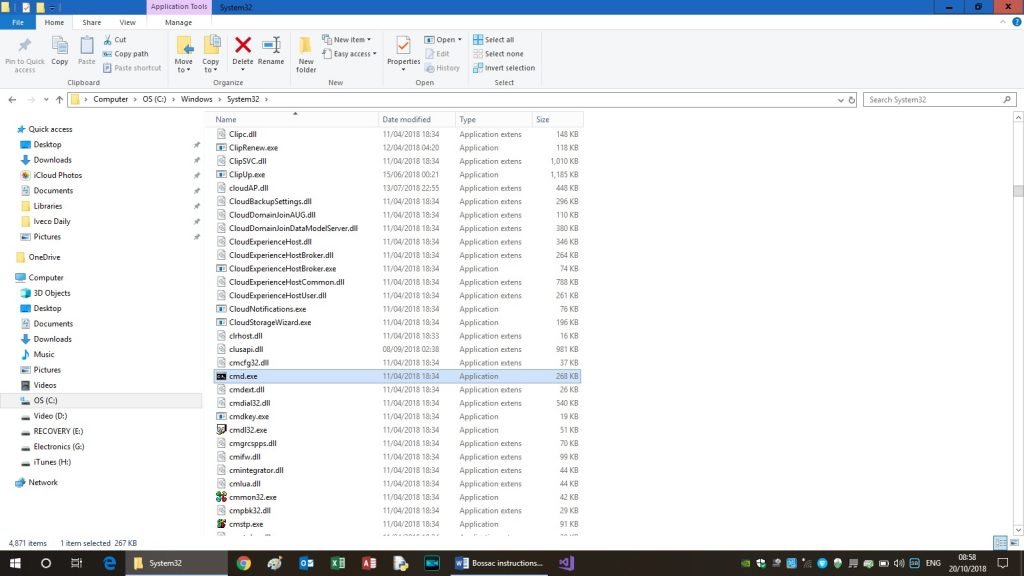
Once the ‘Command Prompt’ is found, make a desktop short cut to it (right click on the file and select ‘Send to’ then ‘Desktop (create shortcut)’
The new version AFAM software in this example is, AFAM_V11.6_SN_8903.bin. Save this programme to your computer and make a note of its location.
If your AFAM came in the metal case, you will need to remove the circuit board. Undo the 5 screws and remove the lid. To reduce the risk of static discharge damaging the AFAM, make sure you ‘ground’ yourself (e.g. by touching a metal water pipe). The AFAM should lift out of the metal box. Try to handle it by the big plug. Your circuit board may look different to the one in the photo as the one in the photo is an early version.
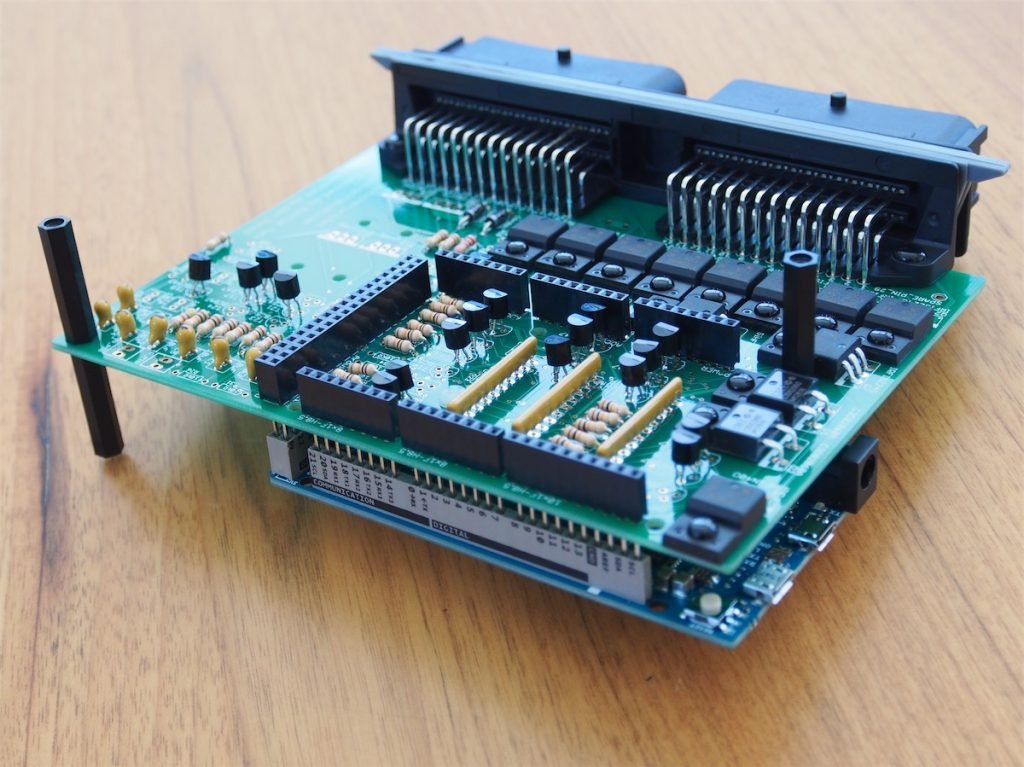
To load the new version AFAM software, remove the Arduino Due from the AFAM main circuit board, so you can access the erase button. There will be several screws holding the Arduino onto the bottom of the main board; once these are undone you can carefully withdraw the Arduino from the main board pins. Place the Arduino on a non-conductive surface and connect it to the computer with a USB cable plugged into the programming port, see photo below.
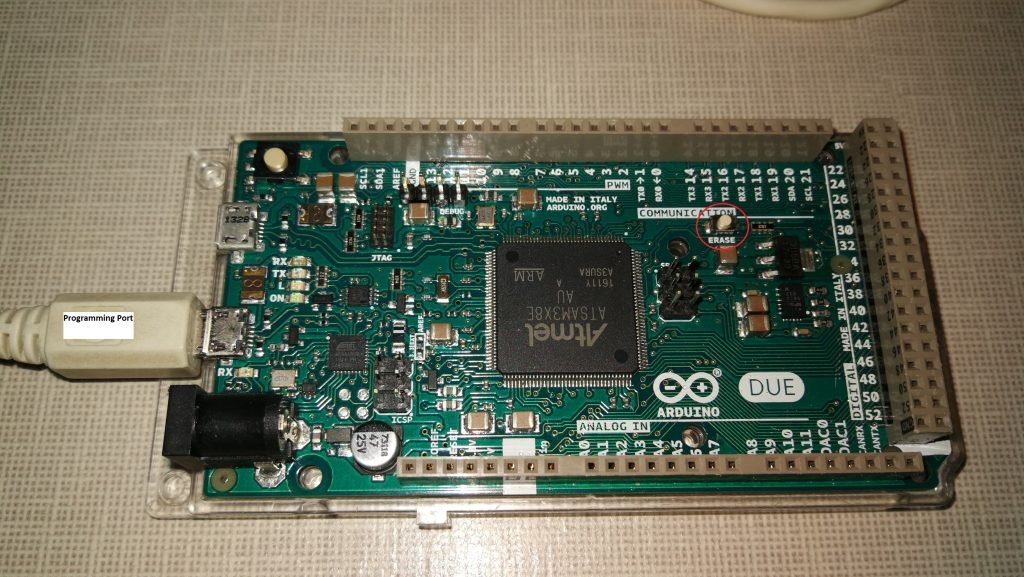
[Note: in the photo above, the ‘erase’ button is circled in red]
Now open the Command Prompt using the desktop short cut you created earlier.
In the Command Prompt you will need to input a command, consisting of the file location of the bossac.exe file, some instructions ( -e -u -w -v -b ), and the file location of the new AFAM software. For my file locations the command is below (Note – all the spaces etc should be copied exactly as stated here):
C:\Users\Marcus\AppData\Local\Arduino15\packages\arduino\tools\bossac\1.6.1-arduino\bossac.exe -e -u -w -v -b C:\AFAM_V11.6_SN_8903.bin
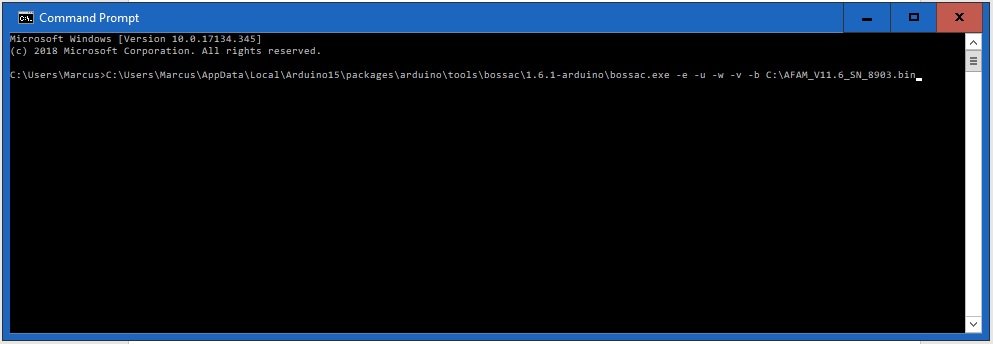
Before you press the return key for the above instructions, press the ‘ERASE’ button on the Arduino for about 2 seconds. If this is missed, the computer will not see the Arduino on the USB and the load will fail.
Hopefully it will load, and you will see this in the command prompt
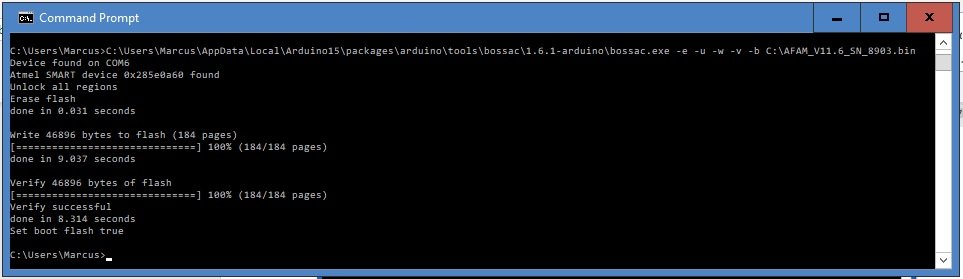
Once the software is loaded into the Due, open the Arduino IDE and set it up for the Due and its com port;
- ‘Tools’ – ‘Board’ – then select the ‘Arduino Due (Programming Port)’
- ‘Tools’ – ‘Port’ – then select the com port the Due is plugged into
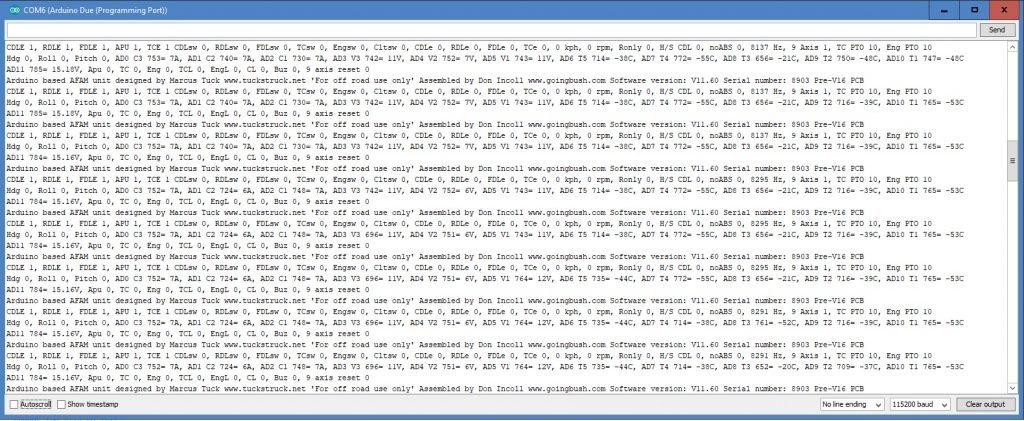
- ‘Tools’ – ‘Serial Monitor’ and then set it to ‘115200 baud’ in the bottom right
Hopefully you are now seeing data from the Arduino like this:
Now, reassemble everything and your are good to go with the latest software!
The software includes a library which is subject to copyright, so I have to include the following notice for it:
/****************************************************************************
Copyright (C) 2011 – 2014 Bosch Sensortec GmbH
Euler.ino
Date: 2014/09/09
Revision: 3.0 $
Usage: Example code to stream Euler data
/***************************************************************************
License:
Redistribution and use in source and binary forms, with or without
modification, are permitted provided that the following conditions are met:
Redistributions of source code must retain the above copyright
notice, this list of conditions and the following disclaimer.
Redistributions in binary form must reproduce the above copyright
notice, this list of conditions and the following disclaimer in the
documentation and/or other materials provided with the distribution.
Neither the name of the copyright holder nor the names of the
contributors may be used to endorse or promote products derived from
this software without specific prior written permission.
THIS SOFTWARE IS PROVIDED BY THE COPYRIGHT HOLDERS AND CONTRIBUTORS “AS IS” AND
ANY EXPRESS OR IMPLIED WARRANTIES, INCLUDING, BUT NOT LIMITED TO, THE IMPLIED
WARRANTIES OF MERCHANTABILITY AND FITNESS FOR A PARTICULAR PURPOSE ARE
DISCLAIMED. IN NO EVENT SHALL COPYRIGHT HOLDER OR CONTRIBUTORS BE LIABLE FOR ANY
DIRECT, INDIRECT, INCIDENTAL, SPECIAL, EXEMPLARY, OR CONSEQUENTIAL DAMAGES
(INCLUDING, BUT NOT LIMITED TO, PROCUREMENT OF SUBSTITUTE GOODS OR SERVICES;
LOSS OF USE, DATA, OR PROFITS; OR BUSINESS INTERRUPTION) HOWEVER CAUSED AND
ON ANY THEORY OF LIABILITY, WHETHER IN CONTRACT, STRICT LIABILITY, OR TORT
(INCLUDING NEGLIGENCE OR OTHERWISE) ARISING IN ANY WAY OUT OF THE USE OF THIS
SOFTWARE, EVEN IF ADVISED OF THE POSSIBILITY OF SUCH DAMAGE
The information provided is believed to be accurate and reliable.
The copyright holder assumes no responsibility for the consequences of use
of such information nor for any infringement of patents or
other rights of third parties which may result from its use.
No license is granted by implication or otherwise under any patent or
patent rights of the copyright holder.